
Get 3x more people to show up to your events
Create one link that works with every calendar app. Share it anywhere — email, website, social media. No credit card required.
 Sign up with Google
How It Works
Three simple steps to start sharing your events
Create your event
Start your free account and create your first event. Whether it's an online webinar or at a physical location, we've got you covered.
Share anywhere
After creating your event, share it by copying & pasting the link in your email campaigns, landing pages, or social media.
Track results
Track the number of people viewing and adding your event to their calendars to help you measure the effectiveness of your event marketing.
Three Ways to Share Your Event
Choose the sharing option that works best for your needs
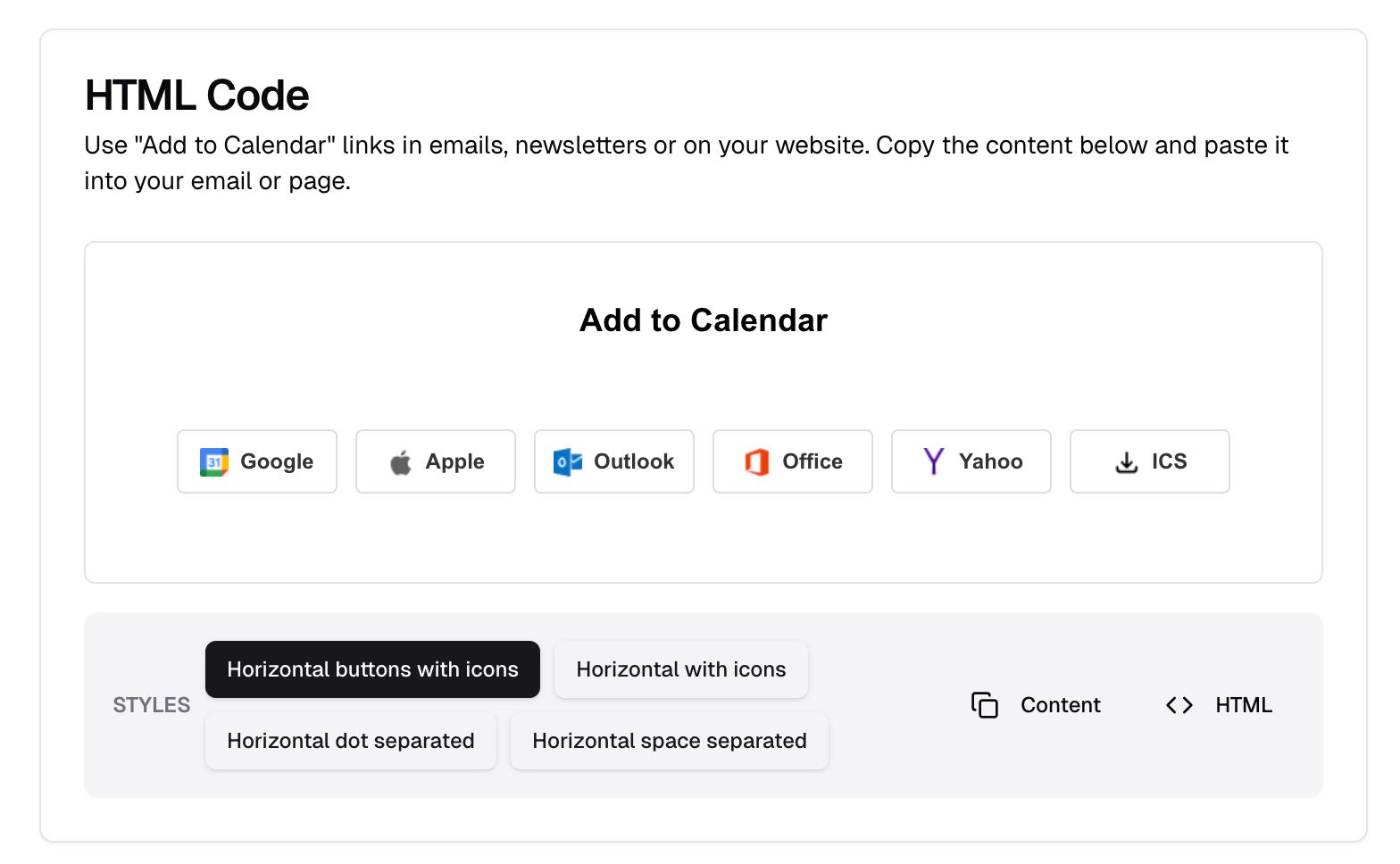
Add to Calendar Button
Embed a beautiful button on your website that lets visitors add your event to their calendar with just a click.
- Embed in seconds, no coding required
- Works with all website builders
- Customizable to match your site's style
Powerful Features for Event Sharing
Everything you need to create and share calendar events effectively
Universal Calendar Support
One link works with Google Calendar, Apple Calendar, Outlook, Office 365, and Yahoo — so no one is left out.
Multiple Sharing Options
Share via website buttons, email links, or event landing pages. Put your events wherever your audience already is.
Unlimited Events & Adds
Create as many events as you need with unlimited calendar adds on every plan — including free.
Detailed Analytics
See exactly how many people view, click, and add your events. Know what's working and double down.
Easy Integration
Copy-paste into any website builder, email platform, or marketing tool. No coding required.
Branded Experience
Match your brand with custom colors, logos, and URLs. Your events, your look.
Works with All Major Calendar Services
Your audience can use their preferred calendar application



Frequently Asked Questions
Everything you need to know about our Add to Calendar links
What Our Users Say
Trusted by event organizers worldwide

Our attendance rate for our funnel events was about 35%. Replaced the ICS download in our confirmation page and emails with an AddCal link and we're above 60% now. Took maybe 10 minutes to set up.

Parents kept missing school events because nobody checks the website. We connected our School Management Platform to AddCal and now there's a public page they can subscribe to.

We do a weekly tech webinar and used to have a whole separate tool just for RSVPs. AddCal handles that plus the calendar link so it's one less thing to maintain.